A Shopify landing page is a single-purpose page that takes visitors from one campaign to one action, such as buying, signing up or joining a waitlist, without the extra sections and links your homepage carries. Common types include splash, lead generation, sales, thank-you and seasonal pages. You can build most of them free with a page template in the theme editor.
What is A Shopify Landing Page?
A Shopify landing page is a carefully designed webpage that works as a strategic gateway to lead your potential customers toward the next phase of their shopping experience. This journey encompasses a wide range of e-commerce interactions, making it a pivotal part of your online success.
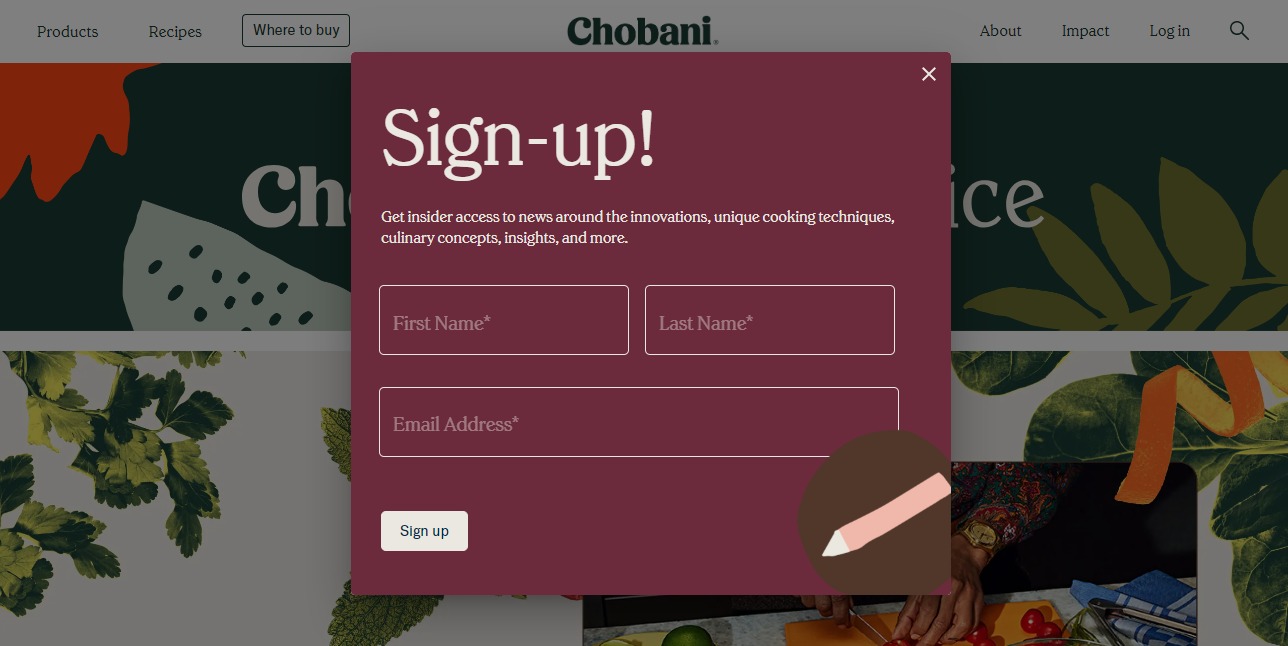
For your Shopify store, a Shopify landing page may trigger your visitors to:
- Finalize a purchase (situated at the sales funnel’s bottom)
- Register with an email for a complimentary sample (positioned in the middle of the funnel)
- Subscribe to an email newsletter, unlocking store-exclusive deals (nestled at the funnel’s summit)
- Gain access to an exclusive waitlist for a specific product (positioned in the middle of the funnel)
- Share an email address to unlock complimentary shipping (also positioned in the middle of the funnel)
Is this similar to a product page?
No. A product page and a landing page do different jobs.
Imagine product pages as versatile tools, like Swiss army knives, designed to cater to a variety of interests. On the other hand, envision a landing page as a finely tuned scalpel, crafted with precision for a specific purpose – guiding visitors towards a particular action.
Furthermore, a landing page is composed of unique elements, including:
- Striking Headlines
- Compelling Call to Action
- Visuals That Show the Offer
- A Clear, Unique Offer
In addition, landing pages deliberately exclude certain elements to maintain a focused approach. They avoid distracting navigational options, ensuring a clear path toward the intended objective.
Types of Shopify Landing Pages
Type #1. Splash Landing Pages
A splash landing page serves as a preliminary gateway preceding your website’s primary pages. It holds a range of valuable functions, offering an array of advantages:
- Showcasing Vital Information
- Promoting Products or Services
- Highlighting Premier Content
- Serving as a Prelude
- Gathering Visitor Insights
- Facilitating Subscriptions
A standard splash page typically includes concise content, a background image, and most importantly, a hyperlink leading visitors to your main website.
For instance, a link labeled “continue to site” guides visitors seamlessly to your homepage, ensuring a smooth transition. These pages find their place across various stages of your marketing funnel, but we recommend using them prominently at the top level to enhance brand visibility.
A noteworthy example often encountered is the use of an “Age disclaimer” splash page on alcoholic beverage brand websites. This acts as a precautionary step to inform visitors about age restrictions.
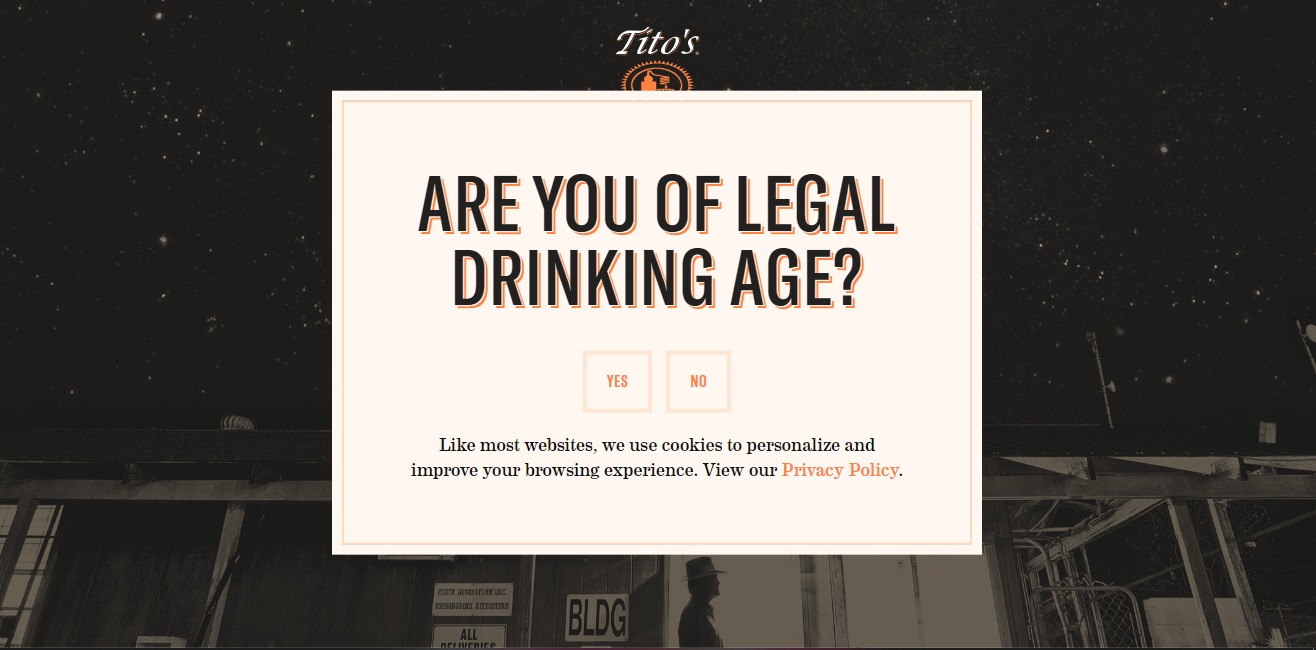
Here are essential considerations to bear in mind as you embark on creating your splash page:
- Maintain Visual Consistency: Ensure your splash page’s design and language align with your website’s overall aesthetics. This creates a seamless look and feel, using the same colors and fonts that define your website’s identity.
- Provide an Exit Path: Prioritize user experience by including a clear exit or opt-out option on your splash page. This empowers visitors to easily move from the splash page to your main website.
- Embrace Lightbox Overlay: Emulate a refined user experience by implementing a lightbox overlay instead of outright redirection. This approach keeps visitors within the context of their original page. The translucent nature of the lightbox overlay underscores the assurance that visitors are precisely where they intended to be.
- Facilitate Return Journeys: When ushering users to a splash page, retain a trail of their origin. This enables a smooth redirection back to their initial location should they opt to bypass the splash page.
- Minimize Repetitive Displays: Recognize that redundancy can lead to user disengagement. If visitors overlook your splash page on the initial encounter, there’s a likelihood they may exhibit reluctance towards subsequent interactions that push them towards a designated action.
Type #2. Lead Generation Landing Pages
The lead generation landing page emerges as a potent tool aimed at cultivating valuable connections and acquiring potential leads. Unlike the click-through landing page, which paves the way for actions like purchases or service engagement, the lead generation page serves a unique purpose. Its main objective is to enhance interactions between your website visitors and your online presence.
This type of landing page is strategically crafted to gather essential personal information, including:
- First and last name
- Email address
- Contact number
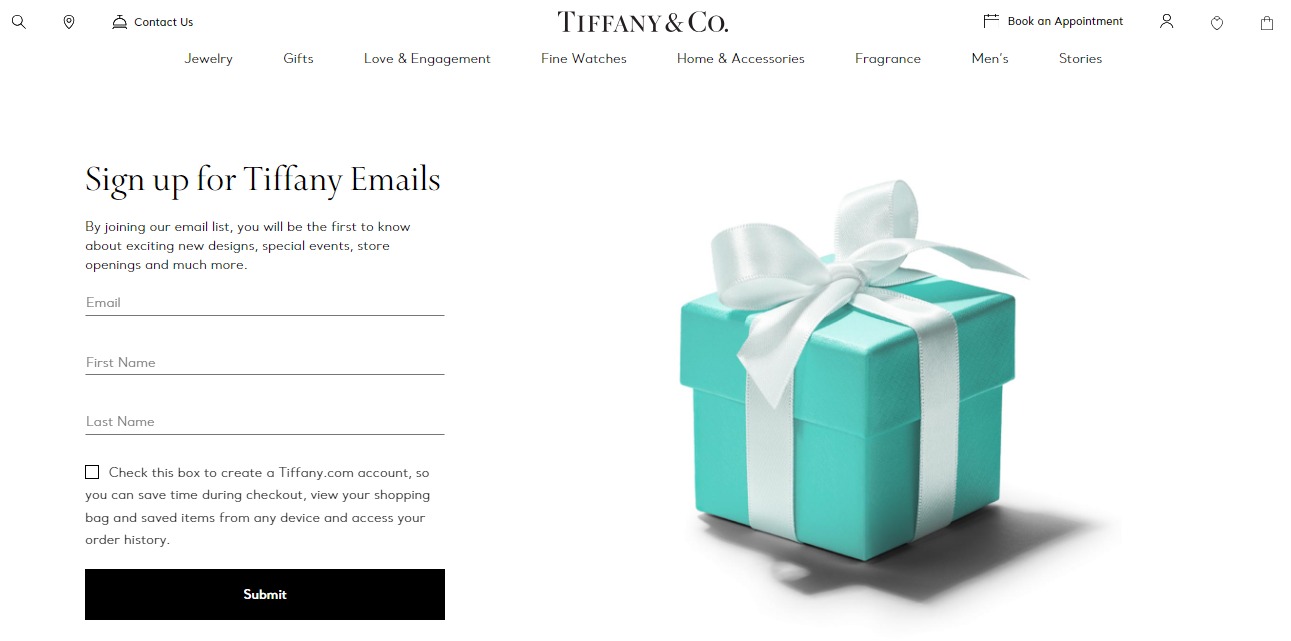
What you need to consider when creating your lead generation page:
- Present an Irresistible Value Proposition: This captures visitors’ attention and encourages them to willingly share their information. The offerings range from useful checklists and templates to comprehensive white papers or engaging newsletters.
- Tailor to Your Audience: Precision matters – align your offerings with what your audience cares about. Use a thorough site-wide survey to understand their preferences. Then, create lead magnets and newsletters that explore those areas of interest.
- Ensure Clear Call to Action (CTA): A clear, direct call to action is fundamental. The language and design of your CTA should be straightforward, guiding individuals toward taking decisive action.
- Harness the Power of Persuasive Copywriting: Dive deeper into the natural advantages, explaining why it’s a smart decision to share information with you. Fill your text with words that your audience understands, using powerful language that connects and inspires action.
- Mobile Optimization: With much of today’s online browsing and searching done on phones, it is imperative that your lead generation landing pages are seamlessly mobile-friendly. (Source: Statista)
- Tailored Pages for Varied Personas: Thoughtful grouping is key, especially when reaching out to various audience types. Make use of audience segmentation to organize people based on their interests and relevant information. Afterward, create special landing pages that speak to each specific group.
- Efficiency in Data Collection: Keeping things straightforward is crucial – ask only for the information you truly need. By reducing complications and making it easy to share data, you increase the chances of visitors willingly getting involved.
Type #3. Sales Landing Page
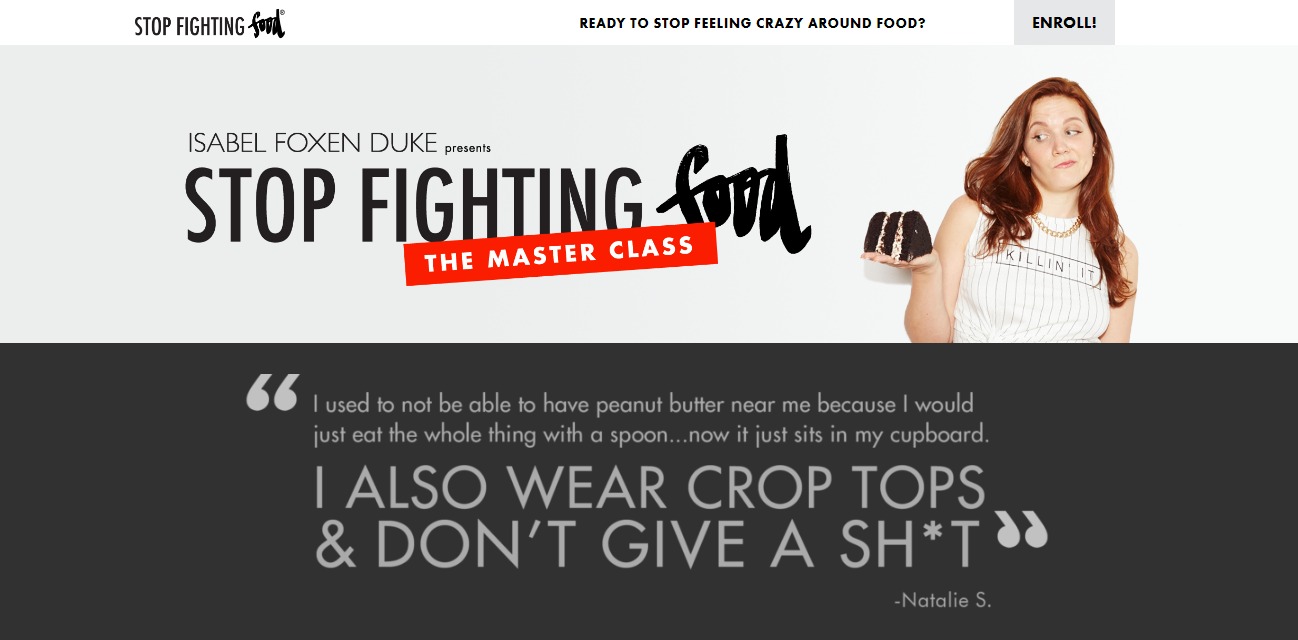
A sales landing page operates as a strategic hub designed for the art of conversion. These pages guide your website visitors on a transformative journey, turning them from curious onlookers into valuable customers. This type of landing page is a blend of information and persuasion, captivating and engaging potential buyers.
Common elements found on many sales pages consist of the following:
- An attention-grabbing headline that captures the reader’s interest and clarifies the product or service being offered.
- Visual content and graphics that spotlight your offerings.
- Concise lists detailing the advantages, features, and benefits.
- Credibility boosters such as reviews, testimonials, FAQs, endorsements, and more.
- Visually appealing call-to-action buttons are strategically placed across the page.
Here are several guidelines to enhance the quality of your sales page:
- Understand Your Audience: Deepen your comprehension of your target audience to empower your sales pages. For instance, tailoring your page to new mothers may involve a compassionate tone and serene imagery, while a niche like motorcycle enthusiasts might necessitate a resolute approach.
- Craft a Clear and Concise Structure: Streamline your page layout for swift comprehension. Make your headline a compelling offer that’s impossible to resist. Lead with a product/service benefit, followed by a concise presentation of what’s on offer.
- Forge Persuasive Copy: Begin by clearly stating the action you want readers to take. Use strong action words and a confident tone. Focus on highlighting the benefits, not just the features. Instead of getting into technical details about your bike’s wheels, explain how buyers will benefit from them.
- Accentuate Product Benefits: Optimize readability by arranging information into bulleted or numbered lists. These formats are visually attractive and make it easy to quickly scan the content.
- Establish Trustworthiness: Display endorsements that confirm your reliability. Include logos of partner companies, feedback from happy customers, or links to detailed case studies.
- Implement Multiple Calls to Action: Incorporate different calls to action that lead to the same objective. Intersperse compelling content between them, giving readers reasons to move forward.
- Infuse a Sense of Urgency: Use techniques like flash sales to encourage more conversions. Offer a limited-time chance, such as a lower price for a specific period. Use persuasive phrases like “Why wait?” to spark interest.
- Address Potential Concerns: Use FAQs to quickly share information without taking away from the goal of getting people to convert.
- Leverage Exit-Intent Pop-Ups: Make the most of exit-intent pop-ups to give a last chance for a purchase. Utilize these to provide an exclusive discount, an extra bonus, or to confirm the visitor’s intention to leave.
Type #4. Thank You Landing Page
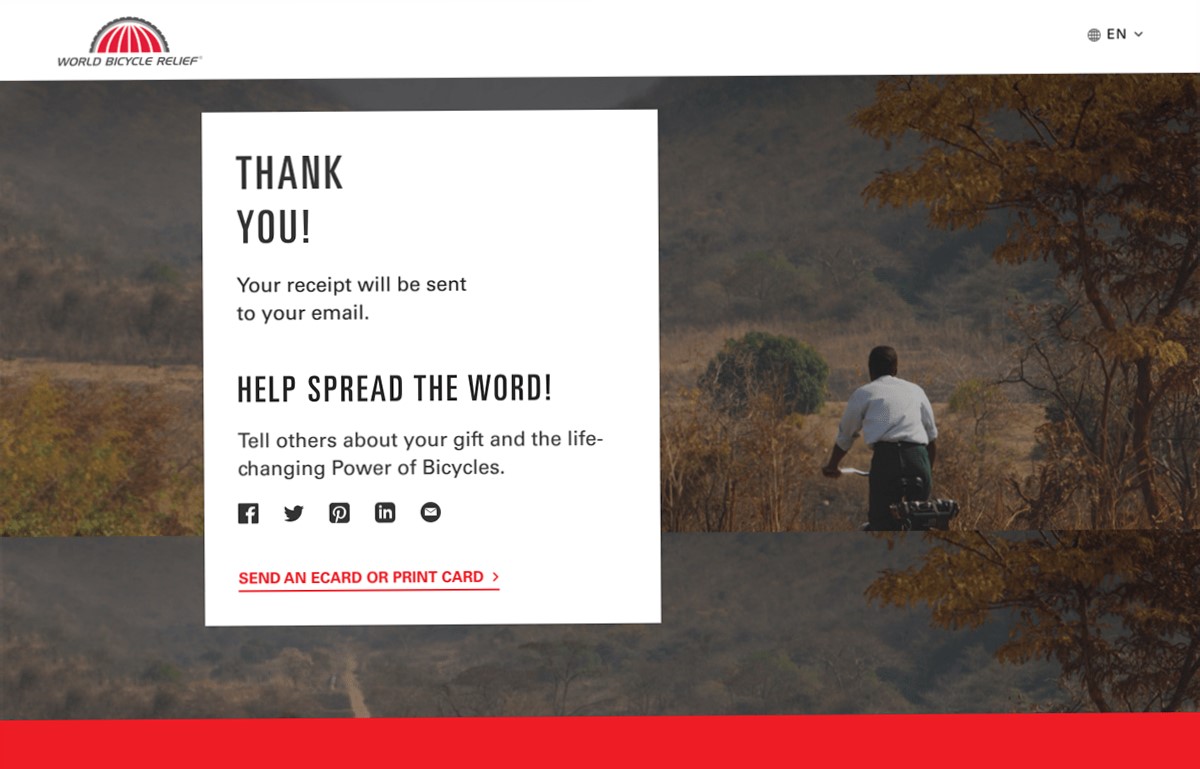
A Thank You Landing Page emerges once customers finalize an action, whether it’s making a purchase, subscribing to a newsletter, or registering for an event. This digital domain serves as a gracious affirmation, extending appreciation from the online establishment to its valued patrons.
The Thank You Landing Page has a dual role: it provides vital transaction details, including order specifics, payment confirmation, and shipping information, all while adding a personal touch. This combination creates an environment that validates the interaction and expresses genuine appreciation. A thank-you page after a newsletter or event sign-up can be a regular Shopify page with its own template, while the post-purchase Thank you page is edited in the checkout and accounts editor, not in your theme or a page builder.
An outstanding Thank You Landing Page does more than just convey transaction information. It creates an atmosphere of ease around the customer’s action, ensuring a worry-free shopping experience. It guides customers toward an encounter that’s free from concerns, fostering a sense of satisfaction and assurance.
Learn how to make the most of your thank you page with these thank you page best practices. On Shopify, the post-purchase Thank you page is part of checkout, so see how to optimize your Shopify Thank you page for the exact settings.
- Affirm the Conversion: For example, show gratitude for joining our informative “How to Hypnotize Your Dog 101 Webinar.” This solidifies the user’s registration for their selected webinar. When sharing downloadable content, use eye-catching colors for the download button. If providing physical content, reassure them about its upcoming delivery.
- Propagate Relevant Content: Boost your thank you pages by sparking curiosity. Include videos, infographics, or blog posts that pique interest in more offers or pages, ensuring continued visitor engagement.
- Leverage Social Media Connect: Increase interaction by adding social media buttons. However, go beyond the norm and explain why they should follow you. For instance: “Discover exclusive dog training tips by joining us on X and Facebook.”
- Stimulate Referrals: Tap into the power of referrals by asking visitors to share the offer with their friends. Clearly state the request, as this straightforward approach significantly increases the chances of action. Use the thank you page as a starting point for natural sharing.
- Weave in Social Validation: Reinforce user confidence with a dash of social proof, spotlighting customer testimonials or quantifiable achievements on your website’s thank you pages. Strengthen their belief in making smart choices.
- Entice Account Creation: Navigating the delicate balance between convenience and engagement, offer post-sale account creation. Sweeten the deal with promises of future discounts, streamlined order tracking, and more.
- Kindle Temptation with Tailored Promotions: Your promotions need not await Black Friday. Infuse your promotional offers with an air of exclusivity, imparting a time-bound allure. Kindle the spark of uniqueness by presenting time-sensitive specials or alluring freebies.
- Entice Email Newsletter Opt-In: Present a gateway to your email newsletter, underlining its value proposition. Tempt them with the promise of top-notch tips and tricks for dog hypnosis sent directly to their inbox every week.
- Initiate Auto-Responder Connection: Extend the conversation by deploying auto-responder emails following conversion actions. Repurpose your thank you page into an email form, seamlessly channeling the allure of your offerings directly to recipients’ inboxes.
Type #5. Seasonal Landing Pages
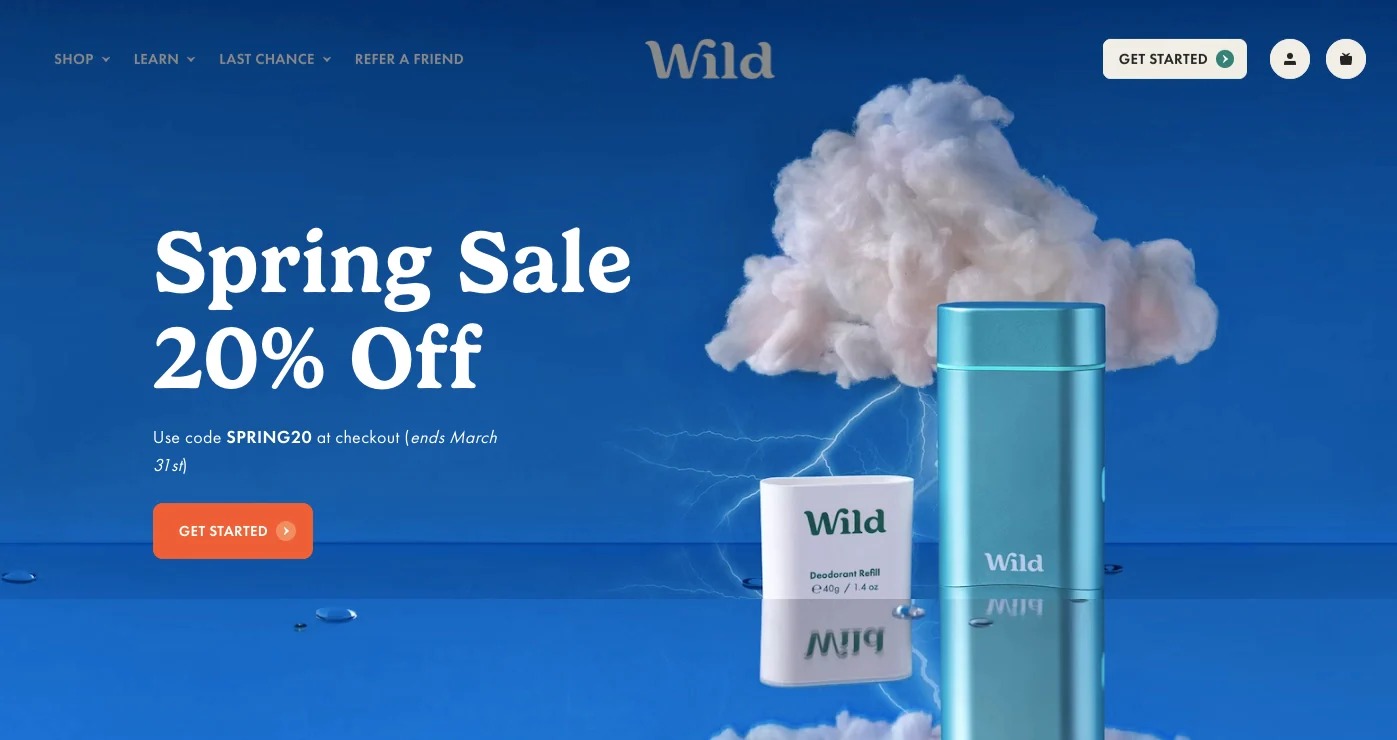
A seasonal landing page mirrors the conventional variant yet distinctively tailors itself to the festive spirit of specific holidays. Whether it’s Christmas or Valentine’s Day, these pages transform with a festive theme while still staying true to their main purpose.
While similar to regular landing pages, seasonal landing pages have unique characteristics:
- Add Seasonal Aesthetics: Tailor the visual aesthetics of your seasonal landing pages to harmonize with the occasion, time of year, or festivity being spotlighted. Employ spirited imagery, dynamic GIFs, and engaging stickers to allure your audience. Complement this with an irresistible Call to Action (CTA) and wording that reflects the holiday’s language.
- Unveil Seasonal Offers: Highlighting special offers is often what draws customers in. Make sure your seasonal landing page is well-organized, directing attention to the featured deals. For example, a clear “15% Off” announcement communicates transparency.
- Augment Resources: Boost customer interaction by providing extra resources and insights on your seasonal landing pages. Explain why your brand is the right choice through shopping guides and related product suggestions. Explore influencer marketing to incorporate video reviews or promotions.
- Elevate Mobile Optimization: Make browsing easy by perfectly optimizing your seasonal landing page for both mobile and desktop views. Ensuring it looks good on different devices enhances accessibility and user satisfaction.
- Showcase Testimonials and Reviews: Increase persuasion with strong social proof. Decorate your holiday landing page with visible testimonials and reviews. These real endorsements give customers the confidence to choose your brand without hesitation.
Shopify Landing Page Examples
Real Shopify stores mix these types: a launch page built around one “Add to cart” button, a quiz that leads shoppers to the right product, or a referral page that rewards sharing. Store designs change often, so we keep store-by-store examples with screenshots in a separate guide.
Read more: Top 8 Stunning Shopify Landing Pages You Can Learn From
How To Build A Shopify Landing Page That Converts
01. Make a landing page by customizing Shopify pages
If you’re aiming to add a unique flair to your Shopify landing page, this method is designed to cater to your preferences. With an Online Store 2.0 theme, you can do it in the theme editor without code, and the code editor opens up more opportunities for enhancing the design of your theme.
To begin customizing, you’ll need to add the page to your Shopify website. Additionally, to enhance the visual appeal of your site, make sure to gather suitable image assets.
- From your Shopify admin, navigate to the Online Store section, where you’ll discover the Pages option.
- By selecting “Add page,” you can initiate the creation of your fresh page.
- Take your time to carefully input all the necessary details, including the title and content, to make your landing page truly yours, then click “Save.”

Beneath, you’ll uncover a comprehensive, step-by-step manual crafted to guide you through the process of giving the newly added page its own landing page template.
Step 1: Prepare yourself before customizing your theme
- Duplicate Theme: Create a backup by duplicating your theme to avoid losing changes.
- Support Awareness: Understand available support levels for assistance.
- Image Guidelines: Learn image upload requirements and best practices.
Step 2: Create a page template in the theme editor
- Open the Theme Editor: Visit the Online Store, select Themes, and click “Edit theme” for your current theme.
- Create a Template: Click the Home page drop-down menu at the top of the editor, select Pages, and click “Create template.” Enter a name, choose the template to copy from in the Based on field, and click “Create template” again.
- A range of theme sections is at your disposal, enabling you to craft a tailored landing page even from scratch. Add, remove and reorder sections, then click “Save.”
Step 3: Assign the template to your page
- Go to Online Store > Pages and click the page you created.
- In the Online store section, click the Theme template drop-down menu, select your new template, and click “Save.”
Step 4: Edit your code (optional)
- Open the Code Editor: For changes the theme editor can’t make, go to Online Store > Themes, click the … menu next to your theme, and select “Edit code.”

- Use Code Editor: The code editor presents a directory of your theme files, complemented by a space for viewing and editing them.


- Navigation and Editing: Click files to open and edit them; a dot next to the tab name indicates unsaved changes.
- Master Languages: Familiarize with HTML, CSS, and Liquid for effective editing. Equipping yourself with a basic understanding of these languages empowers you to navigate and modify the code confidently.
02. Create a landing page using Shopify landing page apps
If you’re seeking more design freedom beyond what your theme editor offers, utilizing third-party apps becomes an excellent beginner-friendly route to curate distinct Shopify landing pages. These apps, tailored for Shopify, provide an uncomplicated and streamlined experience. They seamlessly integrate into your store, featuring intuitive drag-and-drop design features that allow you to witness real-time changes. Moreover, these tools offer the convenience of pre-designed Shopify landing page templates.
One standout option in the market is PageFly, a Shopify page builder app worth exploring:
Pros
- Free Creation: PageFly enables you to craft a free Shopify landing page: its free plan publishes one page or section and includes 320+ page and section templates to elevate your landing pages and maximize conversion potential.
- User-Friendly: Renowned for its ease of use, PageFly’s interface empowers users with varying skill levels to design landing pages effortlessly.
- Template Variety: PageFly boasts a diverse collection of attractive Shopify landing page templates, making it simpler to create visually appealing pages.
- Integration: Seamlessly connects with an array of other tools, enhancing the overall functionality of your landing pages.
Cons
- Free Plan Limit: The free plan publishes only one page or section. More pages need a paid plan, starting with Builder at $24/month (pricing checked October 2026).
Step 1: Install the PageFly page builder
- Head to the PageFly page on the Shopify App Store.
- Click the “Install” button, log in to your Shopify account, and choose your store to initiate the app installation.

Step 2: Craft a Shopify Landing Page with PageFly
- Within the Shopify admin sidebar, navigate to Apps > PageFly. This action opens the PageFly Dashboard.
- Click on “Create a page” or the (+) icon found in the left menu.
- Select your preferred page type in Page Settings. PageFly offers customizable primary page types like home pages, product pages, and more. For a blank canvas, opt for a regular page.

Step 3: Add PageFly elements
- Explore the array of PageFly basic elements and sections available in the page editor.
- Utilize the drag-and-drop functionality to structure your page as per your vision.
- Experiment freely with elements and configurations to achieve your desired store aesthetics.
- Alternatively, take advantage of PageFly’s 320+ page and section templates accessible in the page settings for added convenience.
Step 4: Preview or publish the page
- After crafting your page, hit the “Save” button. This action stores the page in the database without making it public.
- Gain a glimpse of the page’s appearance via the “Preview” feature.
- When ready to showcase your creation, click the “Publish” button. This not only saves the page but also makes it accessible to the public.
- Witness the live version of the page using “Live View.” The page will be linked to your store with the address “your-shop-name.myshopify.com/pages/page-name.”
For a more in-depth tutorial on creating a Shopify landing page using PageFly, refer to this resource: YouTube Tutorial
To find the published PageFly page in your Shopify admin, go to Online Store > Pages. With these easy-to-follow instructions, you’re well on your way to crafting impactful Shopify landing pages with PageFly.
Final Thoughts
Unlock the potential of your e-commerce venture with strategically crafted Shopify landing pages, boosting conversions and enhancing customer interactions. Elevate your business with the art of impactful Shopify landing pages on the Shopify platform.
Frequently Asked Questions
Does Shopify have landing pages?
Yes. With an Online Store 2.0 theme, you can build landing pages in the Shopify theme editor. Go to Online Store > Themes > Edit theme, open the template drop-down at the top of the editor, select Pages, and click Create template. Enter the template name and choose the existing template to base it on, which gives you a solid foundation for your landing page. Add your sections, save, then assign the template to a page under Online Store > Pages > Theme template.
How do I create a landing page for my Shopify website?
Create a page template in the theme editor (Online Store > Themes > Edit theme > Pages > Create template), add the sections you need, and save. Then go to Online Store > Pages, click Add page, choose your template under Theme template, and save. A page builder app such as PageFly is the alternative if you want more layouts.
To optimize your landing page for higher conversion rates, follow these three practices:
- Put the essential details in the upper section of the page
- Use a compelling, attention-grabbing call-to-action button with action-oriented text
- Establish an emotional bond with your visitors
Is Shopify landing page free?
Yes. Pages and page templates come with the online store on every Shopify plan from Basic up, so you can build a landing page in the theme editor at no extra cost. You only pay if you buy a premium theme, choose a paid page builder plan (PageFly’s free plan publishes one page or section), or hire a designer.
What is the benefit of the landing page in Shopify?
- It sends traffic from one campaign, such as an ad, email or social post, to a page built around a single offer.
- It keeps visitors focused on one call to action instead of your whole catalog.
- It lets you test headlines, offers and calls to action for a specific campaign.
- A landing page aids in driving traffic and capturing new leads.
- It is an educational tool that helps you upsell and cross-sell to your current customers.
Do I need a page builder for Shopify?
Not necessarily. Online Store 2.0 themes let you build pages from sections in the theme editor for free. A dedicated Shopify page builder such as PageFly is worth adding when you want more templates, layouts or design control than your theme offers, since it can save you time and effort.
Do ecommerce sites need a landing page?
In most cases, yes. Ecommerce landing pages play a crucial role in successful brand strategies. They serve to capture leads, direct targeted traffic to specific store sections, and ultimately facilitate sales. While product pages offer detailed views of individual items, landing pages focus visitors from a specific campaign on one offer and one action.